
Pages & knowledge base
The built-in wiki: workspace and project pages, the page tree, the editor, version history, locking, comments and turning text into issues.
What pages are for
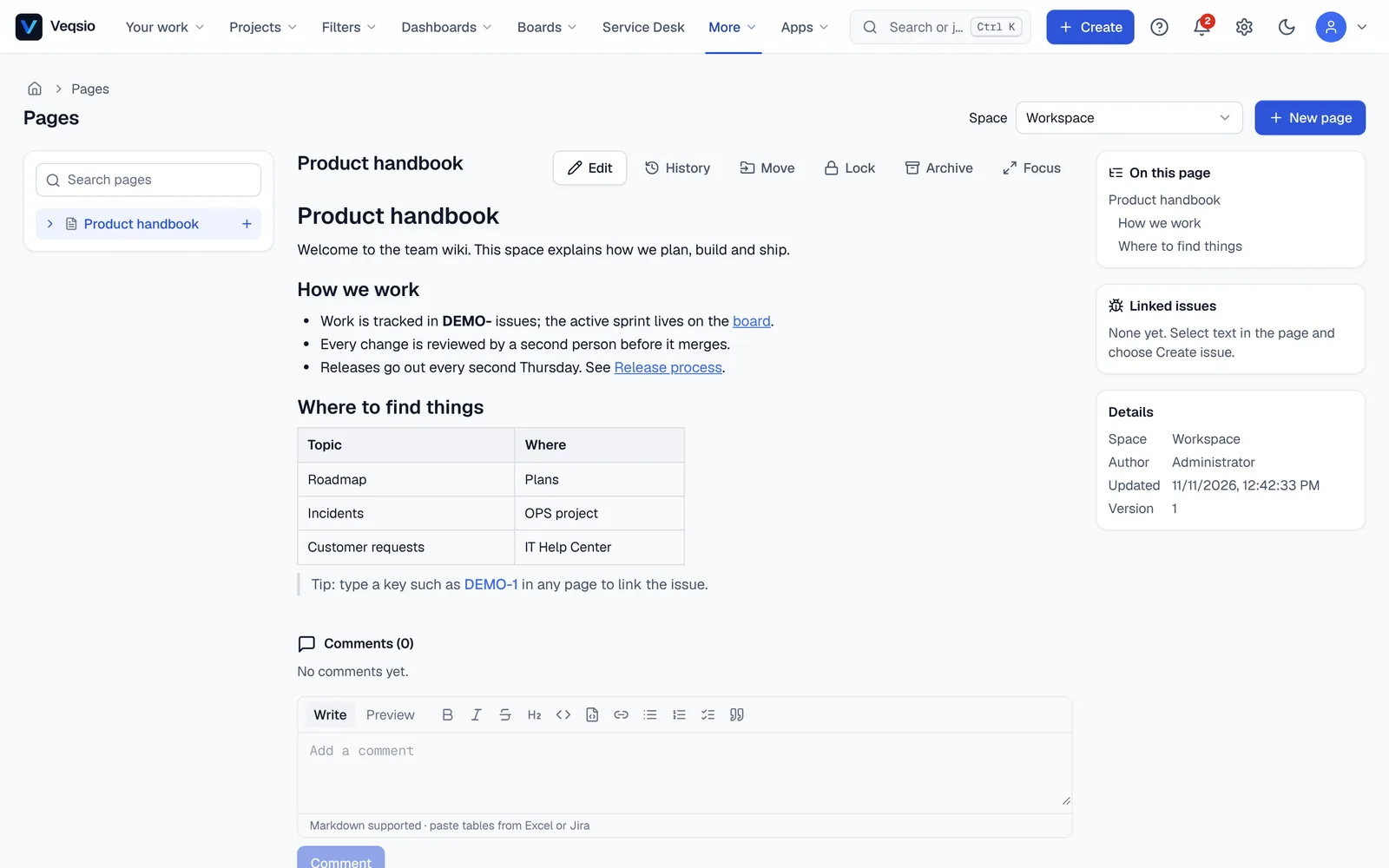
More → Pages is a team wiki for documentation, decisions, meeting notes and runbooks. A page is a Markdown document that lives either in the workspace (visible to every signed-in user) or in a project (visible to people who may browse that project). A project’s own pages are under Pages on the project.
Who can do what
| Workspace page | Project page | |
|---|---|---|
| See | every signed-in user | people with Browse projects on the project |
| Create | every signed-in user | people with Edit issues on the project |
| Edit, move, archive | the author and administrators | people with Edit issues |
| Comment | every signed-in user | people with Add comments |
A page you may not see answers “not found”, not “forbidden”, so its existence is never revealed.
Writing a page
- The editor is the same Markdown editor as on issues: toolbar, live preview, tables, task lists and @mentions. Jira wiki markup is rendered too.
- Press + next to a page in the tree, or choose a parent when creating, to nest pages. Move changes the parent and the position; drag and drop in the tree is not available.
- Type an issue key such as
DEMO-12and it becomes a link (only for projects that exist, soUTF-8stays plain text). - The table of contents in the right panel lists the headings and jumps to them.
- Focus mode hides the tree and the side panel;
Escbrings them back. - Images can be embedded by URL; pasting a screenshot into a page is not supported yet.
Keyboard: E edit, Shift+L lock or unlock, Shift+R archive or restore.
Version history
Every save that changes the title or text stores a version. History opens a drawer with the author, time and size of each change (+3 -1 lines), the differences against the previous version or against the current page, and Restore this version. Restoring writes the old text as a new version, so nothing is ever lost and a restore can itself be undone.
Locking and archiving
- Lock a page so only its author and administrators can change it (on a project page, project administrators too).
- Archive hides a page and the pages below it from the tree and from search. Archived pages stay readable by direct link, are read-only, and can be restored. Pages are never deleted permanently.
Comments
Comment at the bottom of a page, reply (one level deep), edit your own comments and quote highlighted text with Comment on this. Comments are not versioned and are not pinned to a position in the text.
Turn highlighted text into an issue
Select a sentence, choose Create issue, pick a project and adjust the summary. The new issue’s description holds the selected text and a link back; the page lists it under Linked issues. You need Create issues in the chosen project.
Searching pages
Use the search box above the tree, or the command palette (Ctrl+K). Titles and text are searched with word-prefix matching; results show a snippet with the match highlighted. Archived pages are not included.
Pages versus the knowledge base
Pages are for your team. Articles that customers read on the portal belong to a service desk’s own knowledge base (Service Desk → your desk → Settings → Knowledge base). Customers see helpful articles suggested while they type a request, and can vote whether an article helped. See Customer portal.
What pages do not do yet
Real-time co-editing, page templates, attachments, permanent deletion, comments anchored to a text position, notifications for page changes, export, and importing from Confluence are not available. @mentions in pages are displayed but do not send a notification.