
Search screen
Finding issues with the issue list: quick filters, text search, switching to advanced JQL, columns, the inline preview, bulk changes and exporting results.
The issue list
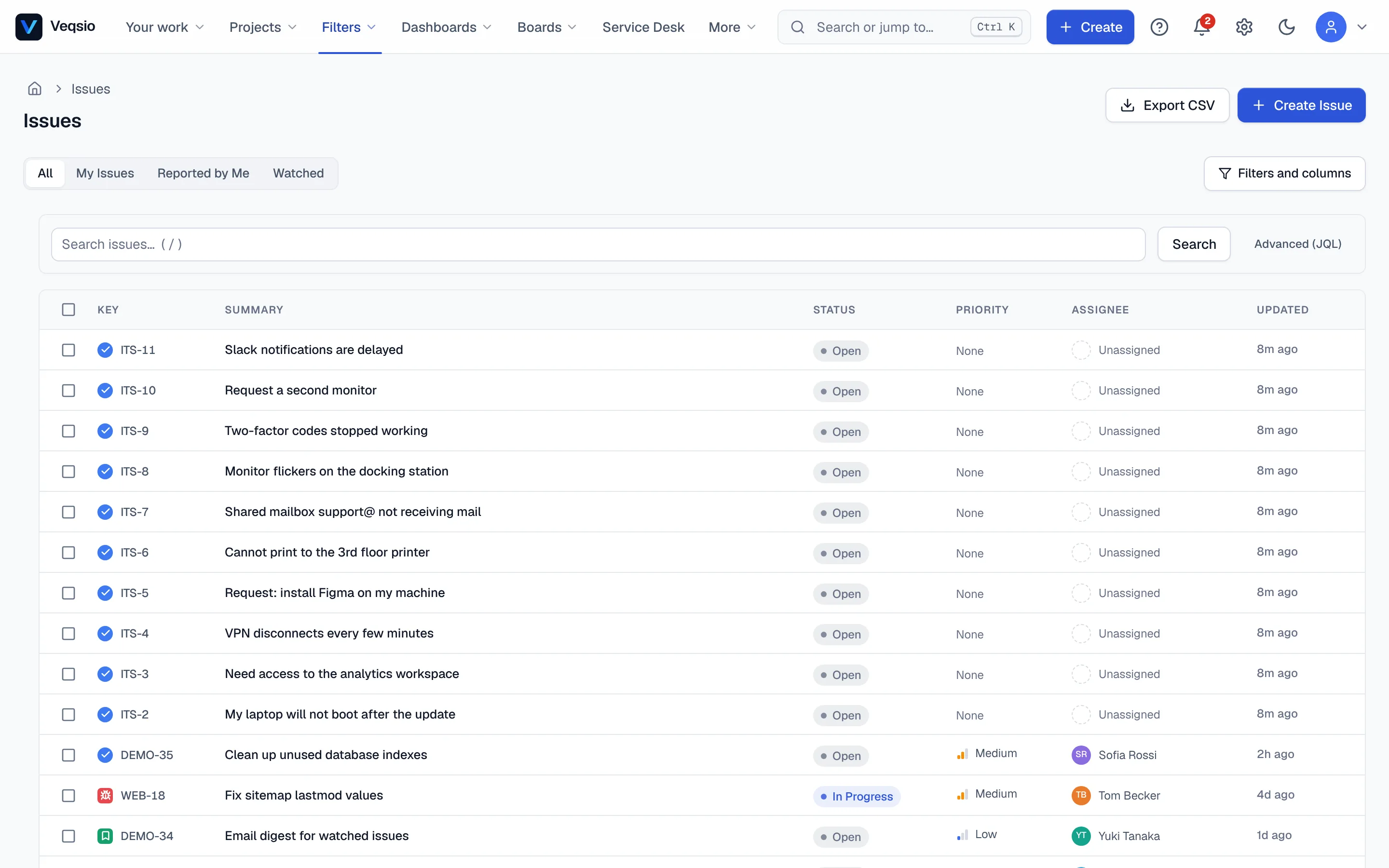
Filters → Search issues (or g then i) lists the issues you may see. Across the top are ready-made tabs:
- All — every issue in projects you can browse.
- My Issues — assigned to you.
- Reported by Me — issues you created.
- Watched — issues you watch.
- Your saved filters, which you can also pick from Saved Filters.
Searching
Press / to jump to the search box and type words from the summary or description; press Search. Use the filter controls to narrow by project, status, type, assignee and so on. Results are always limited to what you are allowed to see — a project you cannot browse never contributes a single row.
Advanced search (JQL)
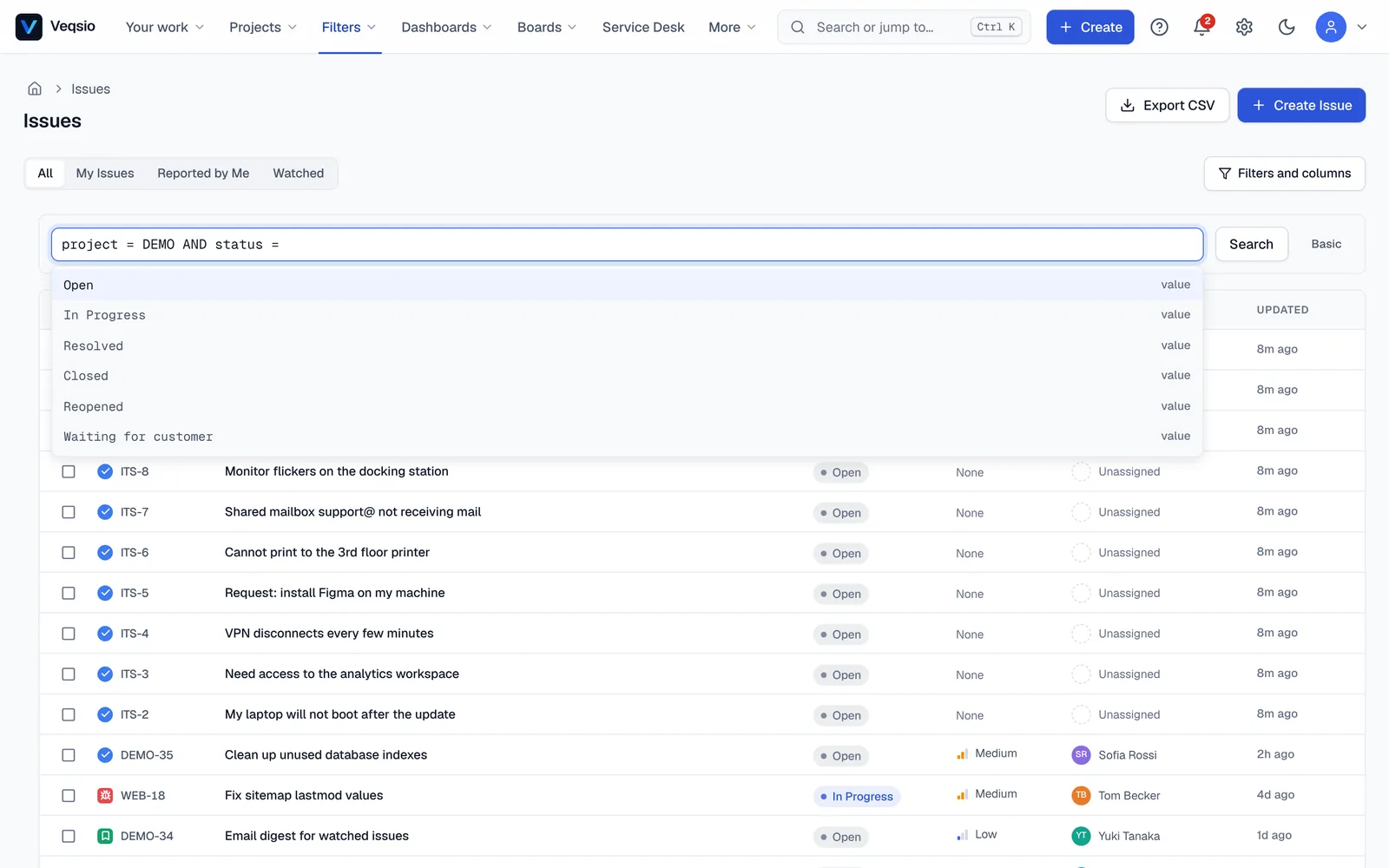
Choose Advanced (JQL) to type a query instead of using the controls. The box validates as you type and offers completions for fields, values and functions. An invalid query shows where it went wrong and does nothing. For example:
project = DEMO AND status != Done AND assignee = currentUser() ORDER BY priority DESCThe full language is in the JQL reference. When a query is useful, press Save current filter — see Saved filters & digests.
Columns and sorting
Filters and columns chooses which columns the list shows and in what order. Click a column header to sort. Your choice is remembered in your browser.
Reading results without leaving the list
- Move with
j/kor the arrow keys;Enteroroopens the issue. →(orF3) expands an inline preview under the row;←orEsccollapses it.popens a peek panel at the side — read and comment without losing your place. The address gets?peek=KEY, so a peek can be shared.- In an opened issue,
[and]step to the previous and next issue of the list you came from. eorF2edits the summary in place.
Acting on results
Select rows (Space or x, extend with Shift+J / Shift+K, or the select-all box) and press b for a bulk change — see The issue view. Export CSV saves the current result as a spreadsheet-safe CSV. For other layouts (board, calendar, timeline) and Excel/JSON export, save the query as a view.
Other places to search
- The command palette (
Ctrl+K) finds issues by key or words, projects and wiki pages. - The search box above the page tree searches the wiki.
- On the customer portal, customers search request types and knowledge-base articles.